YouTube is expanding an AI-powered music replacement feature inside YouTube Studio, giving more creators a way to replace copyrighted audio without removing an entire video. The tool sits inside the existing Replace Song workflow and can generate four royalty-free instrumental tracks for a video that has received an audio claim.
The update was announced by TeamYouTube on November 3. It is useful for creators who want to keep a video online while resolving a music claim, but there are important limits: the tracks are instrumental, the feature is not available in the Studio mobile app yet, and YouTube says the generated music is intended for content published on YouTube.
How the new Replace Song music tool works

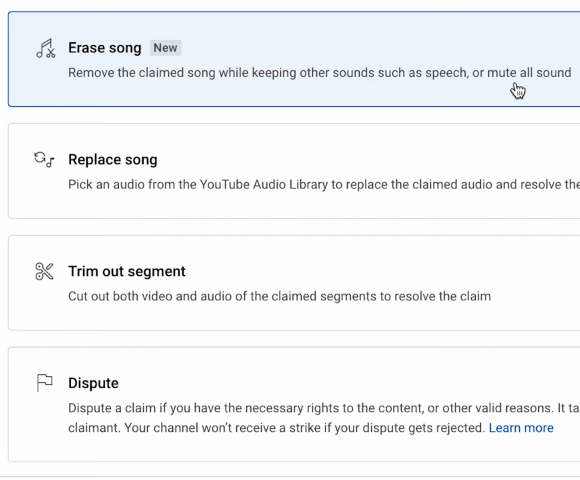
When a video has an audio copyright claim, creators can open the Replace Song tool in YouTube Studio. Under the Suggestions tab, an eligible account will see a Create option that generates four instrumental alternatives. Each track is three minutes long and can be looped or adjusted on the editing timeline.
The tool is designed to help creators replace the claimed music rather than simply mute the entire audio track. That matters for videos where the original music is part of the pacing or atmosphere, but the creator still wants to preserve narration, ambient sound and other elements.
YouTube says the Content ID claim will be automatically removed once the copyrighted audio has been fully replaced by the generated track. If even part of the claimed audio remains, the claim may not clear. The final result still depends on completing the replacement properly.
The biggest limitations creators need to understand

The feature is available to creators in most countries outside the European Economic Area. YouTube says it is not yet available in the Studio mobile app, so creators need to use the desktop editing workflow. The tool currently generates instrumental background music rather than vocals or full songs with lyrics.
There is also a platform restriction. YouTube says tracks generated through this feature are intended for videos and other content creators make on YouTube. That means creators should not assume they can download the track and use it as a general-purpose soundtrack for TikTok, Instagram, Facebook or commercial projects elsewhere.
The new option is not a universal copyright shield. It is designed for audio claims in the Replace Song workflow. It does not resolve image, video-footage, trademark or other rights issues, and it does not give a creator permission to keep using the original claimed song.
How it differs from YouTube’s other AI music tools

YouTube already has other AI music experiments, including Dream Track for Shorts and tools that let creators generate music from prompts. The new Replace Song feature is different because it is tied to an existing Content ID claim and appears inside the process of fixing that claim.
That distinction is important. Dream Track is built for creating new music to accompany Shorts, while the new feature is intended to replace audio that has already triggered a copyright notice. YouTube has not named the underlying AI model in its announcement.
For creators, the tool could save time and protect the value of older videos that might otherwise need a full re-edit. But it should be treated as one option in a rights-management workflow, not as a reason to use copyrighted music without permission in the first place.
The update gives creators another practical way to keep videos intact when music causes a Content ID problem. The catch is that the generated tracks come with platform and device limits, so creators should check the eligibility rules before relying on the tool for a video they plan to distribute everywhere.
Sources and further reading
- TeamYouTube: New music creation tool to help resolve copyright claims
- YouTube Help: Remove copyright-claimed content from videos
- PPC Land: YouTube gives creators four AI tracks to clear claims
Related reading



Leave a Reply