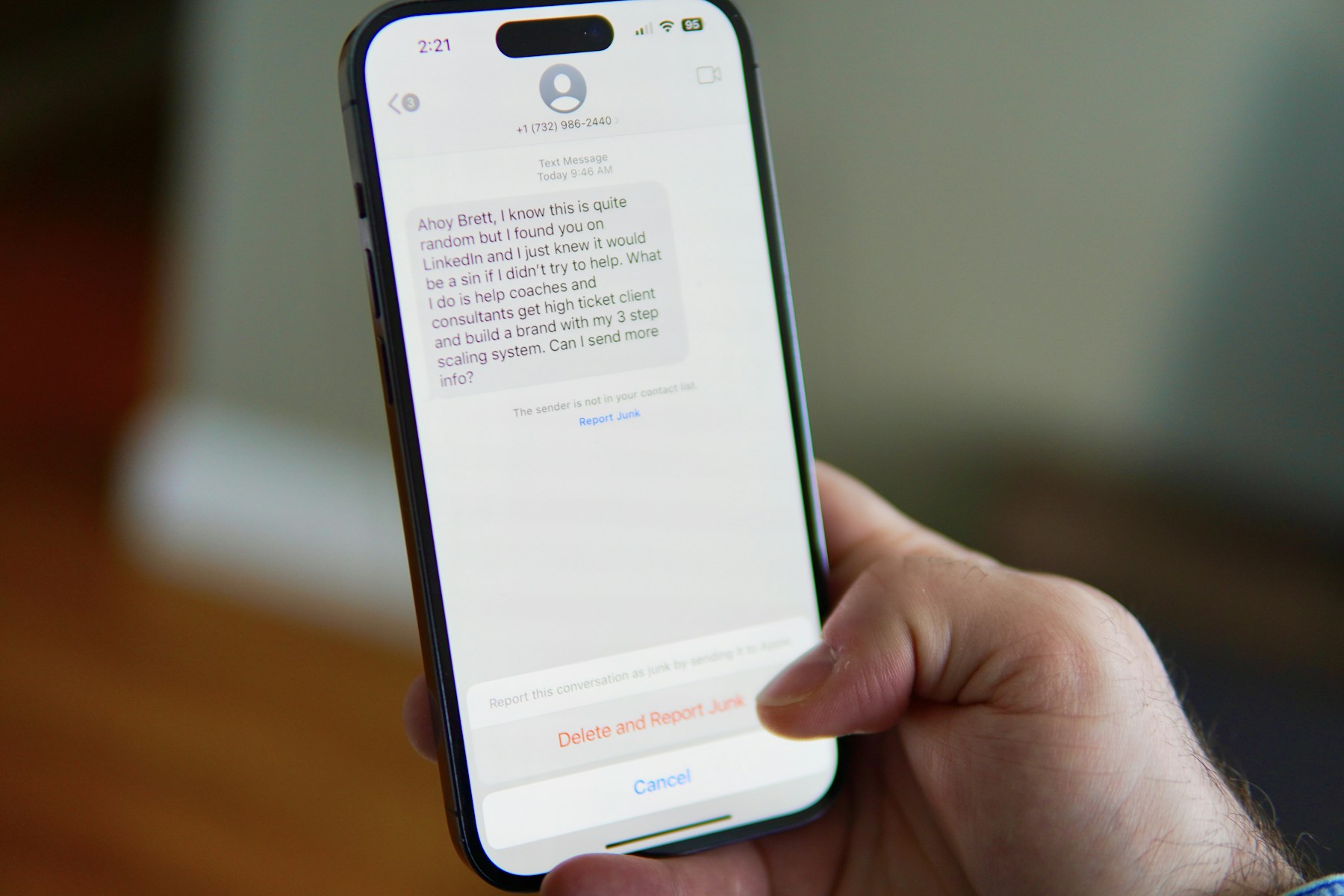
Spam texts are more than an annoyance. A message that looks like a delivery update, bank alert, unpaid toll notice or job offer may be designed to make you tap a link, reveal personal information or send money. The safest response is to pause, avoid interacting with the message and verify the claim through a contact method you already trust.
You cannot stop every unwanted message, but you can reduce how many reach your inbox. Both iPhone and Android offer blocking or filtering tools, wireless carriers may provide spam controls, and U.S. consumers can forward many unwanted texts to 7726 (SPAM) and report fraud to the Federal Trade Commission.
How to Recognize a Spam Text Before You Tap

Scam texts often rely on urgency. The sender wants you to react before you have time to check whether the message is real. A familiar company name, logo or phone number is not enough to prove that a text is legitimate.
Common warning signs
Be cautious when a message claims your package cannot be delivered, your toll payment is overdue, your bank account is locked, a subscription is about to renew or you have won a prize. These themes can be copied and adapted by scammers because they are familiar to almost everyone.
- A link asks you to sign in, pay a small fee or update account details unexpectedly.
- The sender pressures you to act immediately or threatens a penalty.
- The message asks for passwords, verification codes, bank details or a Social Security number.
- The text comes from an unfamiliar number or a sender name that can be spoofed.
- The message promises easy money, a job or a reward that you never applied for.
Do not reply or click to test the sender
Replying can confirm that your number is active and may lead to more messages. Do not click the link, call the number in the text or use the contact details supplied in the message. If the alert might be genuine, open the company’s official app or type its known website address yourself.
Lookalike websites can steal more than a password
A fake delivery or bank page may ask for a small payment and then collect card details, account credentials or personal information. A padlock icon or HTTPS connection does not prove that a website is legitimate. Check the actual domain and reach the organization independently.
The FTC explains these tactics in its guide to recognizing and reporting spam text messages.
How to Block, Filter, and Report Spam Texts

The labels and menu locations can change with operating-system updates, but the main tools are built into the messaging apps on most current phones. If you cannot find a setting, search the app’s help page for ‘block sender,’ ‘filter unknown senders’ or ‘report junk.’
On iPhone
In Messages, open the conversation and use the sender or conversation details to find the option to block the contact or report junk when it is available. You can also review the Messages settings for options that filter messages from unknown senders. The wording and layout may vary by iOS version and carrier.
On Android
In Google Messages, open the conversation, use the menu or conversation details and choose the available block or report spam option. The app may move suspected spam into a separate folder. Other Android messaging apps and manufacturers may use different menus, so check the app you actually use.
Forward unwanted texts to 7726
In the United States, many wireless providers accept spam reports at 7726, which spells SPAM. Copy or forward the unwanted message to that short code and follow any reply instructions from your carrier. This helps providers identify and respond to similar messages. Do not forward private information from other people unless you have permission.
Report fraud to the FTC
If the message is part of an attempted scam, report it at ReportFraud.ftc.gov. Include the details you have, such as the sender number, the message content and any website involved. Reporting does not guarantee that you will receive a personal response or that the sender will be immediately blocked, but it helps authorities track patterns.
Use your carrier’s spam tools carefully
Wireless providers may offer spam filtering or blocking features. Review the provider’s official app or website rather than downloading an unfamiliar security tool advertised in a message. Check the app’s permissions, reputation and privacy practices before installing anything.
- Do not click, reply, or call numbers contained in suspicious texts.
- Block the sender or report junk in your messaging app.
- Forward unwanted messages to 7726 (SPAM) when your carrier supports it.
- Report scam attempts to the FTC at ReportFraud.ftc.gov.
- If you entered a password or payment detail, contact the affected company through its official channel and secure the account.
For more background on the wider problem, read our guide to recognizing online scams before they cost you money.
On Android, use the Messages app’s built-in protection. Google Messages can identify suspected spam and offer options to block or report a conversation. Open the conversation, use the menu or long-press options available on your version, and choose the spam or block action when appropriate. Do not tap a link or reply just to see whether the sender is real. Menu labels can vary by device, carrier and app version, so check Google’s current Google Messages Help Center if your screen looks different.
On iPhone, filtering and reporting are separate actions. Apple’s current iPhone guide explains how to screen messages from unknown senders and review filtered conversations. Reporting a message as junk does not necessarily stop that sender from trying again, so block the number when appropriate. The exact labels differ across iOS versions. See Apple’s instructions for screening and filtering text messages and Apple’s instructions for reporting spam and blocking senders.
Forward suspicious messages to 7726. The number spells SPAM and is used by many U.S. wireless providers to collect reports. The Federal Trade Commission also accepts reports through ReportFraud.ftc.gov. The FTC advises people not to click unexpected links or provide personal or financial information in response to an unsolicited text. If a message claims to come from a bank, delivery company or government agency, open the official app or type the known website address yourself.
If you already clicked, act quickly. Close the page without entering more information. If you submitted a password, change it through the official service and update it anywhere else you reused it. If you entered card or bank details, contact the financial institution using the number on your card or its official website. Save a screenshot and the sender details before deleting the message, especially if money was lost or the message contained a threat. Do not call a number supplied in the suspicious text.
The Bottom Line: Don’t Engage—Verify Through a Trusted Channel

The most effective way to handle a suspicious text is to avoid giving it the response it is designed to trigger. Do not click the link, reply to the sender or share a verification code. If the message claims to come from a bank, delivery company or government agency, contact that organization using its official app, website or a phone number you already know.
Then block or filter the sender, forward the message to 7726 when supported and report suspected fraud to the FTC. These steps will not eliminate every spam text, but they reduce the chance that an irritating message becomes an account takeover or financial loss.


Leave a Reply