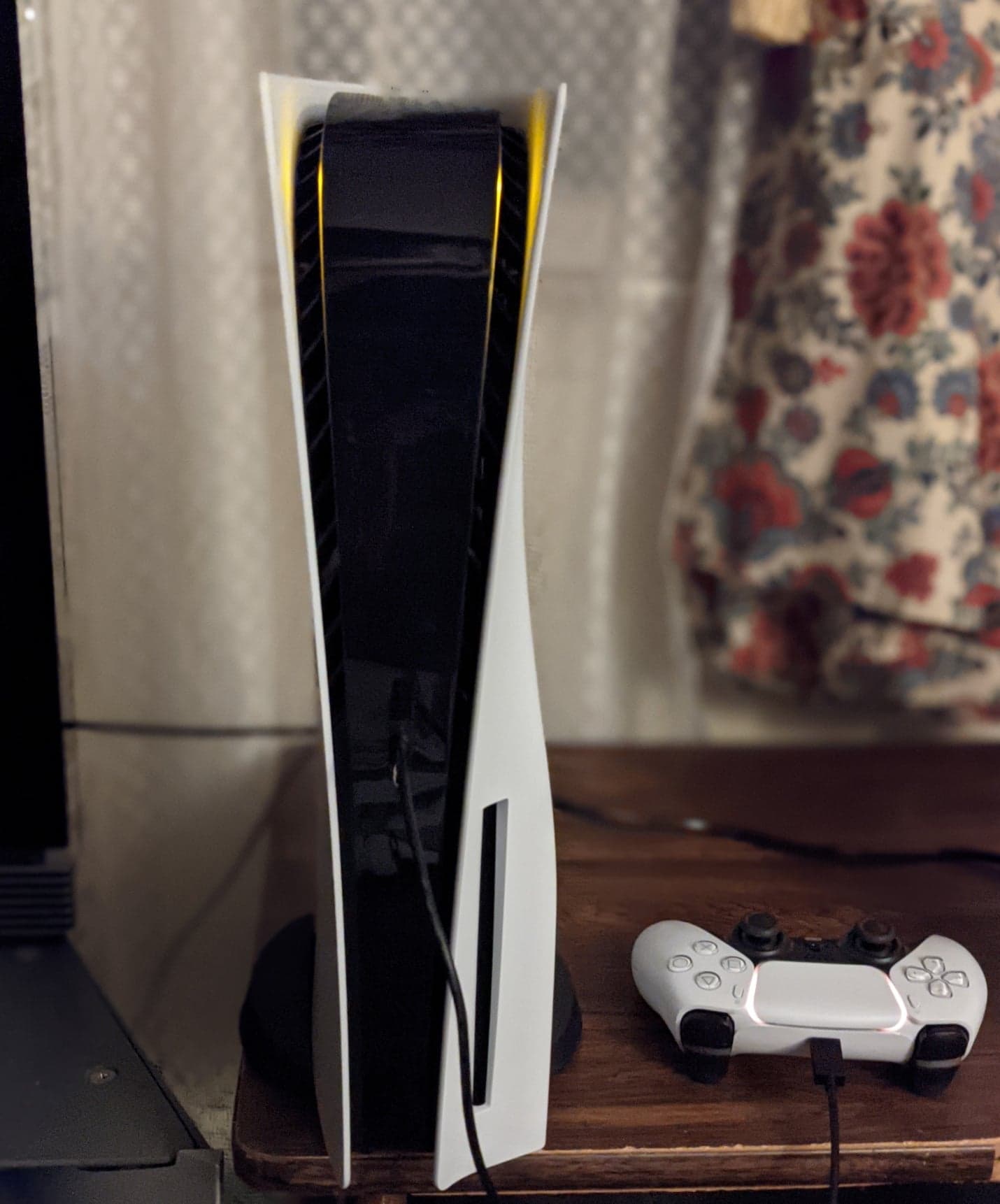
GTA 6 is the biggest launch of the year — and for a lot of PlayStation 5 owners, it keeps throwing them back to the home screen. Since the game launched on Thursday, November 19, players on the base PS5, PS5 Slim and PS5 Pro have reported the same failure at the same moments: error CE-108255-1, the PS5’s generic crash code, striking in the opening cutscene, Lucia’s prison sequence and Jason’s boat section. Some players have lost story progress to it, because GTA 6’s autosaves are not where most people look for them.
Here is the honest version of the GTA 6 CE-108255-1 fix story: what the code actually means, the workarounds players and fix guides report helping — in the order to try them — how to recover progress that looks lost, and the part nobody can fix for you yet. As of Sunday, November 22, Rockstar has not acknowledged the crashes or dated a patch.
What does GTA 6 error CE-108255-1 mean on PS5?

CE-108255-1 is not a GTA 6 code. It is PlayStation’s own error code, and PlayStation Support defines it simply: “An error occurred with the game/application.” It is the code the PS5 shows when a game crashes and closes — any game. Big launches have produced it before, which is why PlayStation’s official advice for the code is generic rather than GTA-specific: update the game, update the system software, and work through its standard repair steps.
Two things follow from that. First, the code itself does not tell you whether the fault is your console, your install, or the game — it only tells you the game died. Second, the pattern matters more than the code. When thousands of players crash at the exact same cutscene on different consoles, that points at the game. When one console crashes in every game it runs, that points at the console. Keep that distinction in mind, because it decides which fixes below are worth your time — and if you are still deciding which version of the game to buy, our guide to GTA 6’s platforms, prices and editions breaks down the options.
Where GTA 6 crashes: the opening cutscene, Lucia’s prison sequence and Jason’s boat section

Player reports collected by launch-week coverage cluster at three story points:
- The opening cutscene / prologue, where some players cannot get into the game at all — and where a separate reported glitch can drop Lucia through the map.
- Lucia’s prison sequence early in the story, one of the most-reported crash points.
- Jason’s boat section, where reports describe freezes as well as full crashes — if you want the background on the character, see our explainer on who voices Jason in GTA 6.
The reports span every PS5 model — base, Digital, Slim and Pro — and similar same-point crashes have been reported on Xbox Series X, which uses its own error handling rather than Sony’s code. That spread is the strongest evidence that at least part of this is a game-side bug: identical crashes, at identical moments, on different hardware. It is also why the fixes below come with a warning label — they help many players, but players quoted in launch-week reports say that when a crash is locked to a specific cutscene, some have tried every standard step, including a full reinstall, without it going away. Only a Rockstar patch truly fixes that version of the problem.
How to fix GTA 6 error CE-108255-1 on PS5, step by step

Work through these in order — cheapest and fastest first. Steps 1–4 take about 20 minutes combined; save the reinstall for last.
1. Install the GTA 6 update. This is PlayStation’s first recommended step for this code, and the one players report helping most. Highlight GTA 6 on the home screen, press the Options button and choose Check for Update, then let the download finish before launching. Fix guides note a pre-launch update (version 01.002.001, roughly 602 MB on PS5) that pre-loaded copies may not have installed yet.
2. Update the PS5 system software. Go to Settings → System → System Software → System Software Update and Settings → Update System Software. Guides report GTA 6 requires a recent system build (listed as 26.07-14.23.00) to run properly, so install whatever update is offered — and never power off the console mid-update.
3. Restart the PS5 fully — not Rest Mode. Rest Mode keeps the game half-loaded in memory. Use Power → Turn Off PS5, wait until the light is completely off, then boot up and relaunch.
4. Clear the cache and rebuild the database in Safe Mode. This is the step most often linked to getting past the prison-sequence crash. Turn the PS5 fully off, then hold the power button and release it after the second beep (about seven seconds). Connect the controller with a USB cable, press the PS button, and choose Clear Cache and Rebuild Database — run Clear System Software Cache first; if the crash returns, repeat and choose Rebuild Database. Neither option deletes your games or saves.
5. Restore licences. For digital copies: Settings → Users and Accounts → Other → Restore Licences. It takes about a minute and rules out a licence glitch making the console treat your copy as broken.
6. Reinstall GTA 6 — to internal storage. PS5 games only run from the internal SSD or an installed M.2 SSD; if GTA 6 is sitting on a USB drive, move it back. If you reinstall, delete the game via Settings → Storage → Console Storage → Games and Apps and download it fresh — fix guides link the boat-section freeze in particular to reinstalling on internal storage. Deleting the game does not delete your saved data, but back saves up to the cloud first if you have PlayStation Plus. Given the game’s size, this is a long download — that is why it is step 6, not step 1.
What not to do: factory-reset your PS5 for this. PlayStation lists a console reset as a last resort for stubborn errors generally, but it erases everything on the console — and players quoted in launch coverage report that even a full reset did not stop GTA 6’s same-point crashes. Do not pay that price for a fix that has not worked for others. The full picture of the launch itself is in our GTA 6 release date and everything confirmed coverage.
GTA 6 lost your progress? Your autosave is hiding in Load Game

The second launch-week panic is players believing a crash wiped their story progress. In most reported cases, it did not — because GTA 6’s autosaves do not appear where players expect them.
According to player reports gathered by GTA 6 fix trackers, autosaves show up under the separate Load Game screen, not in the save menu players open mid-game. Before you replay anything, go to Load Game and check for an autosave timestamped around your crash. The catch is when the game autosaves: reportedly only after missions, not continuously — so a crash mid-mission can still cost you that mission’s progress even when the autosave exists.
The habit that protects you: manual-save between missions. GTA 6 gives you 15 manual save slots alongside the autosave slot, so there is no reason to rely on autosave alone during launch week, while crashes are still being patched. Save after every mission, and a CE-108255-1 crash becomes an annoyance instead of a lost evening.
Has Rockstar acknowledged the GTA 6 crashes or announced a patch?

No — and that silence is part of the story. As of November 22, 2026, three days after launch, Rockstar has not publicly acknowledged the CE-108255-1 crashes, published a known-issues list, or announced a date for a patch. Its GTA VI support page routes console error codes to PlayStation and Xbox support rather than offering a Rockstar-side fix. Sony, for its part, points to its generic CE-108255-1 guidance: update the game, then PlayStation Repairs if the code persists.
That does not mean reports are going into a void. When the PS5 shows the error, send the crash report the console offers you — those reports go to the developer — and file the details with Rockstar Support: your console model, the error code, and the exact story point where it crashes. Same-point crash reports are precisely what a patch gets built from, and the volume of prologue, prison and boat reports is what makes this a launch-week priority rather than background noise. GTA 6’s launch is also dominating the industry’s year-end conversation — it leads The Game Awards 2026 nominees with eight nominations — so the pressure for a fast stability patch is real.
This section will be updated when Rockstar comments or a patch is dated.
If GTA 6 still crashes after every fix, do this next

Run one diagnostic first: do other games crash with CE-108255-1 too? If GTA 6 is the only game doing it — especially at the same cutscene every time — your console is almost certainly fine, and the realistic move is to manual-save often, keep the game updated, and wait for Rockstar’s patch rather than paying for a repair.
If, however, multiple games are closing with the same code, or the console also fails in menus, overheats or shuts down abnormally, the problem has moved from “buggy launch” to “your hardware” — and PlayStation’s official endpoint is PlayStation Repairs / PlayStation Support. Do not open the console or attempt internal repairs yourself; that is a warranty problem, not a settings problem.
Either way, keep the game updated. Launch-window stability patches usually arrive without much warning, and the update check in step 1 is the fastest thing you can do each time you sit down to play.
Bottom line: GTA 6 error CE-108255-1 is PlayStation’s generic “the game crashed” code, and since the November 19 launch it has clustered at the same story points — the opening cutscene, Lucia’s prison sequence and Jason’s boat section — across every PS5 model. There is no official fix yet: Rockstar has not acknowledged the crashes or dated a patch as of November 22. What players report actually helping, in order, is installing the pending game update, updating the PS5 system software, a full power-off restart, a Safe Mode cache clear and database rebuild, restoring licences, and — last — reinstalling to internal storage. Skip the factory reset; it erases your console and has not fixed this for others. And if a crash looks like it ate your progress, check Load Game first: that is where GTA 6 hides its autosaves.
Sources:
- GTA 6 on PS5 becomes unplayable as users report crashes — Of Zen and Computing
- How to fix GTA 6 error CE-108255-1 on PS5 — The Droid Guy
- How to fix PS5 error CE-108255-1 in GTA 6 and other games — The Droid Guy
- GTA 6 PS5 error CE-108255-1: what it means and how to fix it — Happy Gamer
- GTA 6 not working: server status, autosaves and fixes — Grand Theft Auto Wiki
- GTA 6 not working: day-one problems and fixes — Output Lag
- GTA 6 crashing, freezing or stuck loading: fixes for PS5 and Xbox — RP Base
- PlayStation Support — error code CE-108255-1 guidance and PS5 Safe Mode steps (as summarised by the fix guides above)
Reporting status checked November 22, 2026. Fix steps are workarounds reported by players and fix guides, following PlayStation’s official order for error CE-108255-1; none is guaranteed, and Rockstar had not acknowledged the crashes or announced a patch at the time of checking.
Don’t stop here. Explore more stories from The Immortal Times.


Leave a Reply
You must be logged in to post a comment.